ChatGPT Prompts for 2026: Simple Prompts to Get Better Results

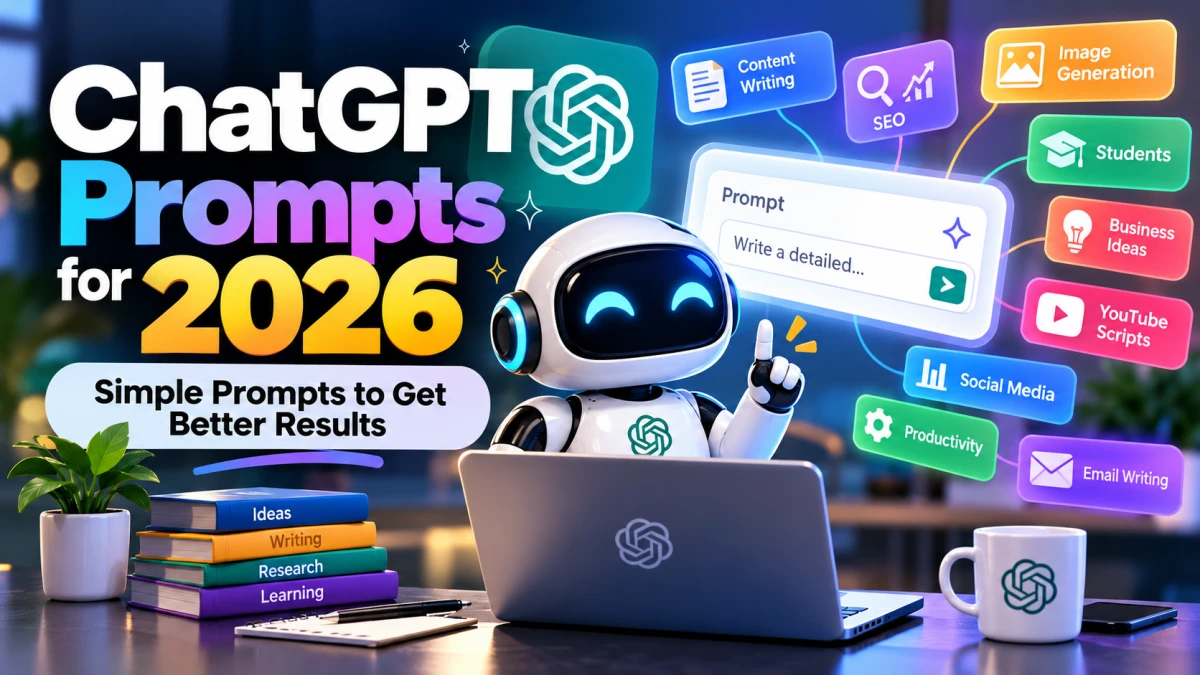
ChatGPT has become a useful tool for writing, research, content creation, learning, business planning, and everyday tasks. However, the quality of its answers often depends on how you ask your questions. A clear and well-structured prompt can help you get more relevant, accurate, and useful responses.
In 2026, you do not need to be a prompt engineering expert to use ChatGPT effectively. You can start with simple instructions, explain what you want, and provide enough context to guide the response.
Whether you are a student, blogger, business owner, content creator, or working professional, the right ChatGPT prompts can help you save time and improve your workflow.
What Are ChatGPT Prompts?
ChatGPT prompts are instructions, questions, or messages that you give to ChatGPT to generate a response. A prompt can be as simple as asking for a definition or as detailed as requesting a complete content strategy.
For example, instead of writing:
“Write about technology.”
You can write:
“Write a 500-word article about how artificial intelligence is changing everyday life. Use simple English, short paragraphs, clear headings, and practical examples.”
The second prompt gives ChatGPT a clear topic, word count, writing style, and structure. This makes it easier to generate a response that matches your requirements.
Best ChatGPT Prompts for 2026
Here are some practical prompts you can copy, customize, and use for different tasks.
- ChatGPT Prompts for Content Writing
Content creators can use ChatGPT to generate article ideas, improve drafts, create outlines, and simplify complicated information.
Prompt:
“Act as an experienced content writer. Write an informative article about [your topic] using simple English, short paragraphs, and clear headings. Keep the tone natural and helpful. Avoid unnecessary repetition, generic introductions, and complicated words.”
This prompt works well when you need a readable first draft. Always verify important facts and add your own insights before publishing.
- ChatGPT Prompts for SEO Blog Posts
Bloggers can use ChatGPT to organize content around search intent and improve readability.
Prompt:
“Act as an SEO content strategist. Create a detailed article outline for the keyword [target keyword]. Identify the main search intent, suggest relevant H2 and H3 headings, include useful related questions, and recommend practical information that would help readers. Avoid keyword stuffing and repetitive headings.”
This approach helps you plan useful content instead of simply repeating a keyword throughout an article.
- ChatGPT Prompts for Image Generation
If you use AI image generators, ChatGPT can help turn a basic idea into a detailed visual prompt.
Prompt:
“Create a detailed image-generation prompt for [subject]. Describe the subject’s appearance, pose, environment, lighting, camera angle, composition, colors, background, and visual style. Keep the description consistent and avoid adding unnecessary elements.”
You can then use the resulting prompt in a compatible image-generation tool.
- ChatGPT Prompts for Students
Students can use ChatGPT to understand difficult topics, prepare revision notes, and practice questions.
Prompt:
“Explain [topic] as if you are teaching a beginner. Use simple language, everyday examples, and step-by-step explanations. After explaining the topic, provide five practice questions and an answer key.”
This prompt is useful for learning concepts rather than memorizing definitions alone.
- ChatGPT Prompts for Business Ideas
Entrepreneurs can use ChatGPT to evaluate potential business opportunities and organize their initial plans.
Prompt:
“Act as a business planning consultant. Analyze the business idea [describe your idea]. Explain the target audience, customer problems, potential revenue sources, major costs, competitors to research, and possible risks. Separate assumptions from verified facts and suggest practical ways to test demand before investing money.”
Remember that an AI-generated business plan is a starting point, not proof that a business will succeed.
- ChatGPT Prompts for Social Media Content
Social media creators need fresh ideas and engaging ways to present information.
Prompt:
“Generate 10 social media post ideas about [topic] for [platform]. For each idea, provide a strong opening hook, the main message, a suggested format, and a simple call to action. Use a natural tone suitable for the target audience [describe audience]. Avoid misleading claims and exaggerated promises.”
You can use these ideas for Instagram posts, YouTube Shorts, Facebook content, or other platforms by adjusting the format.
- ChatGPT Prompts for YouTube Scripts
A structured prompt can help you create scripts with a clear opening, progression, and ending.
Prompt:
“Act as a professional YouTube scriptwriter. Write a script about [video topic] for an audience interested in [niche]. Start with an engaging hook, develop the story using clear and progressively interesting sections, and end with a satisfying conclusion. Use natural spoken language and suggest relevant visuals for each section.”
For short-form videos, specify the exact duration and keep the dialogue short enough to fit the available time.
- ChatGPT Prompts for Productivity
ChatGPT can help you organize tasks, prioritize deadlines, and build a realistic daily schedule.
Prompt:
“Act as a productivity coach. Help me plan my day using these tasks: [list tasks]. My available working hours are [hours], and my main priority is [goal]. Organize the tasks by importance, estimate realistic time blocks, include short breaks, and identify activities I should postpone or eliminate.”
A useful schedule should account for your actual time and energy instead of filling every minute with work.
- ChatGPT Prompts for Email Writing
Writing professional emails can be easier when you specify the purpose and desired tone.
Prompt:
“Write a professional email to [recipient] about [purpose]. Keep it concise, polite, and clear. Include the necessary details, explain the requested action, and end with an appropriate closing. Do not invent information that I have not provided.”
This prompt is suitable for work communication, client inquiries, follow-ups, and business requests.
- ChatGPT Prompts for Learning New Skills
You can use ChatGPT as a learning assistant when you want to understand a new subject or develop a skill.
Prompt:
“Create a beginner-friendly learning plan for [skill]. Divide it into weekly milestones, explain what I should learn first, recommend practical exercises, and provide a way to test my progress. Assume I can spend [hours] per week learning.”
For the best results, practice the skill outside ChatGPT and use feedback to identify areas that need improvement.
How to Write Better ChatGPT Prompts in 2026
You do not need long or complicated prompts for every task. The goal is to provide the information ChatGPT needs to understand your request.
Use these five elements as a simple guide.
- Define the task. Explain exactly what you want ChatGPT to do, such as write an article, explain a concept, or summarize a report.
- Provide context. Share the relevant background, audience, topic, or purpose.
- Specify the tone. Tell ChatGPT whether the response should sound professional, friendly, conversational, persuasive, or educational.
- Set the structure. Request headings, bullet points, a table, numbered steps, or a particular word count when needed.
- Explain your constraints. Mention what to avoid, what information must be included, and whether the answer should rely on supplied material or verified sources.
For example, a complete prompt could be:
“Write a 700-word beginner-friendly guide to personal budgeting for young adults. Use a conversational tone, clear headings, practical examples, and short paragraphs. Explain the basic steps and common mistakes. Avoid unsupported financial claims and end with a simple action plan.”
This gives ChatGPT a clear direction without making the prompt unnecessarily complicated.
Common Mistakes to Avoid When Using ChatGPT Prompts
Even a detailed prompt cannot guarantee a perfect answer. Some common mistakes can reduce the usefulness of the result.
- Being too vague: A broad request may produce a generic answer that does not address your actual needs.
- Adding unnecessary instructions: Excessive details can make a prompt harder to follow. Include information that directly affects the result.
- Ignoring the target audience: Content for beginners may require a different explanation from content for experts.
- Trusting every answer: ChatGPT can make mistakes, misunderstand context, or provide outdated information. Verify important claims.
- Publishing without editing: AI-generated articles, emails, and scripts often need fact-checking, originality, and human judgment.
- Expecting one prompt to solve everything: Complex projects usually benefit from multiple steps, such as research, outlining, drafting, and revision.
Are ChatGPT Prompts Different in 2026?
The basic principles of prompt writing remain the same: explain the task, provide context, and specify the desired result. However, available capabilities depend on the ChatGPT model, plan, tools, and features you can access.
Depending on the available tools, ChatGPT may help you work with images, files, data, code, or other forms of input. Your prompt should reflect the actual task and the information you can provide.
For example, if you want a document summarized, provide the document and specify whether you need a short summary, detailed notes, or a list of action items. If you need current information, ask for recent sources and verify the cited material.
There is no single magic prompt that guarantees accurate or exceptional results for every task. Clear instructions and careful review remain essential.
Final Thoughts
ChatGPT prompts for 2026 do not have to be complicated. A simple, well-defined instruction can often produce better results than a long prompt filled with unnecessary requirements.
Start by identifying your goal, providing the necessary context, and specifying the tone and structure you prefer. Then review the response, correct any mistakes, and refine your instructions if needed.
The most effective way to improve your prompting skills is to experiment with different instructions and learn which details make a meaningful difference to the results.